Custom Color
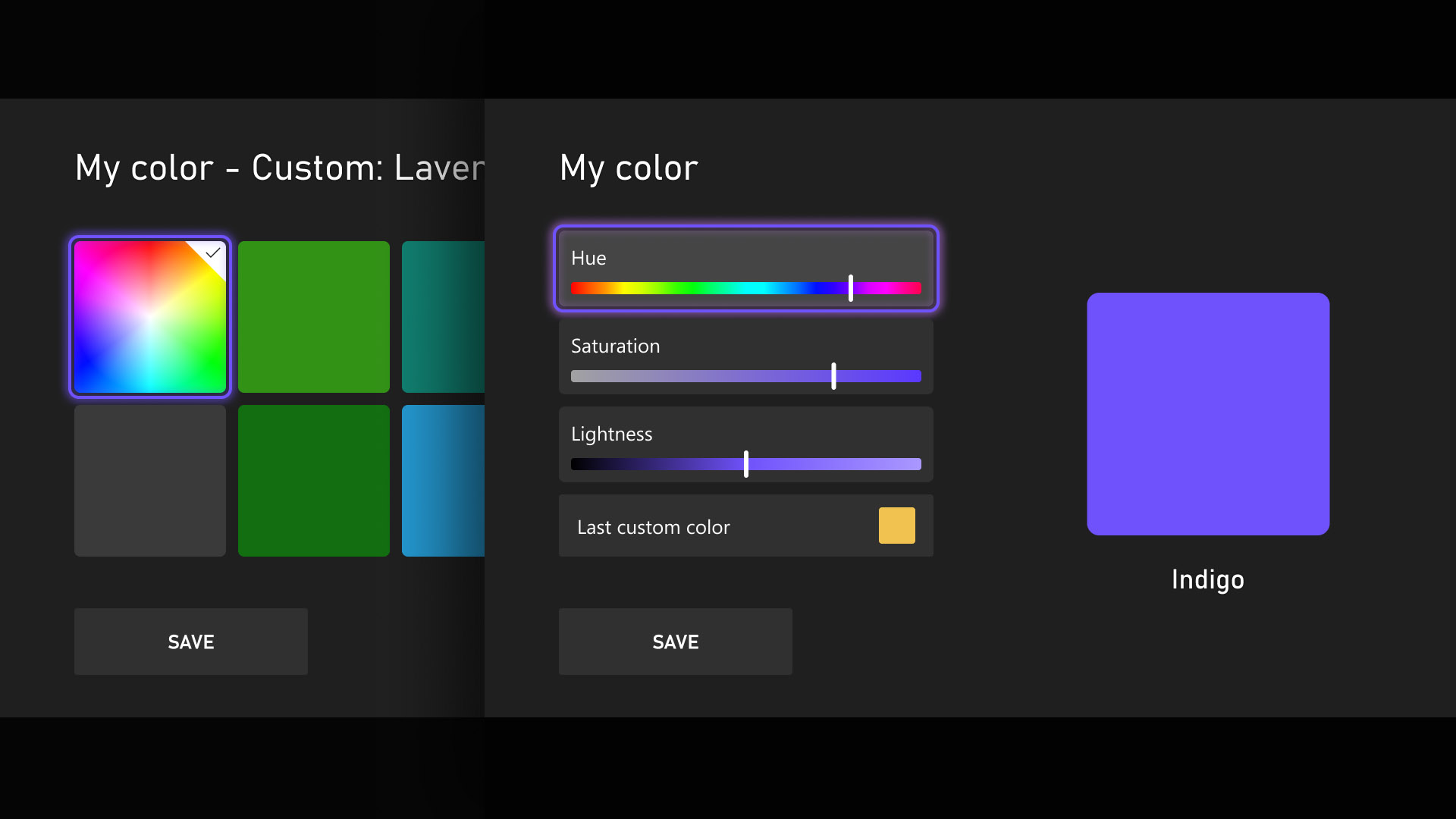
Personalization and self-expression matter, and your console experience should be yours. That’s why we’re introducing custom colors, giving you more freedom beyond our existing color options.
You can now create a color that’s uniquely yours using sliders to dial in the exact hue and shade you want. Once selected, you’ll see subtle touches of your color throughout the console, including a light accent in the Guide. If you prefer a cleaner look, you can turn that off anytime in
Settings > General > Personalization > Customize the guide.
To keep everything clear and readable, we’ve added a few helpful guardrails.
If you switch back to a system color, your last custom color will be saved so you can easily come back to it.
Quick Resume Settings
Quick Resume continues to be one of the most loved features on Xbox, and we’ve heard your feedback around performance after long periods of inactivity or with games that rely heavily on online connections.
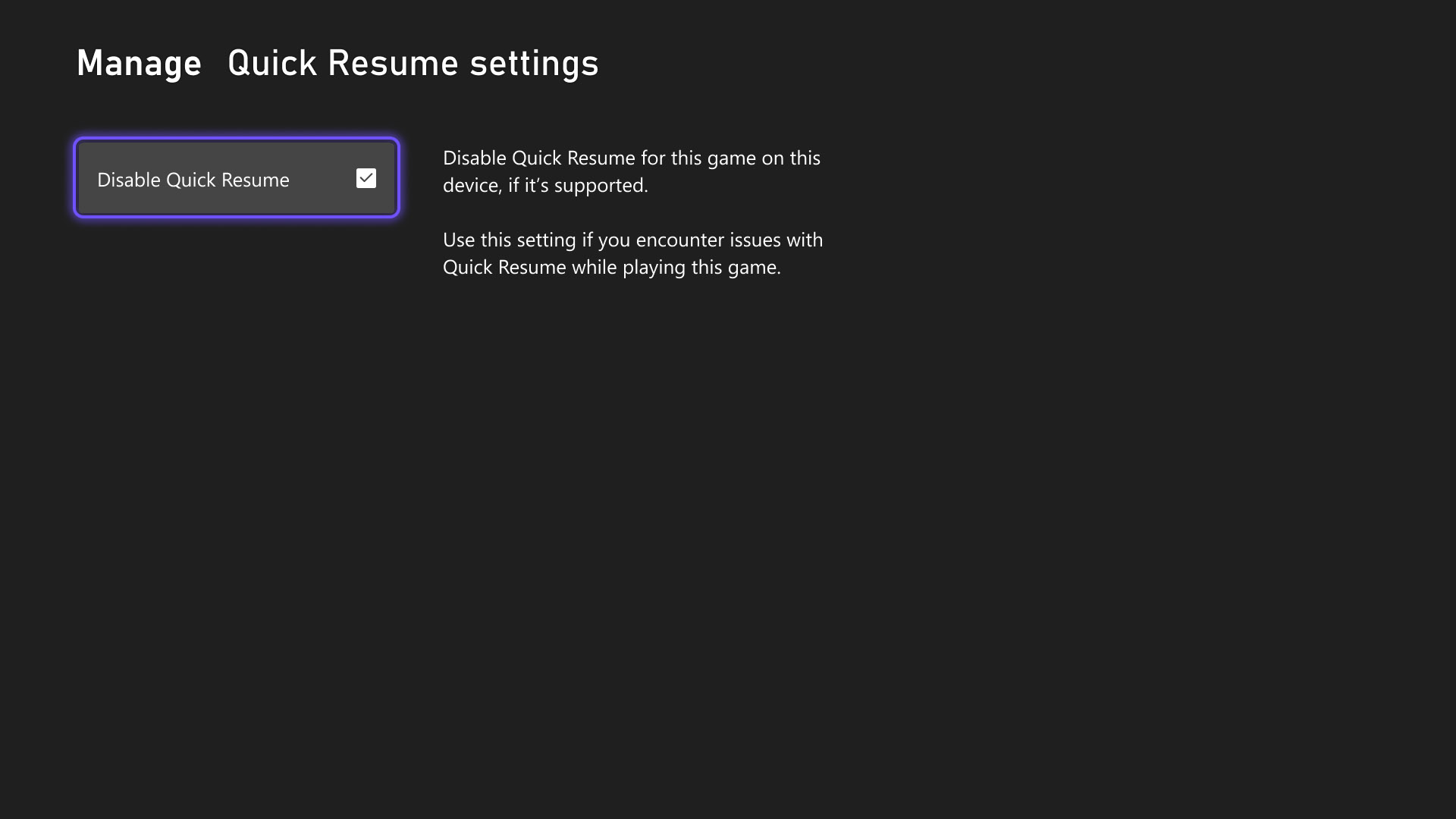
With this update, you can now disable Quick Resume on a per-game basis, so games always launch fresh.
You can find this option by opening More options on a game tile in the Quick Resume group and selecting Manage Quick Resume, or by going to any game tile and choosing
Manage game and add-ons > Quick Resume settings.
Play History Update
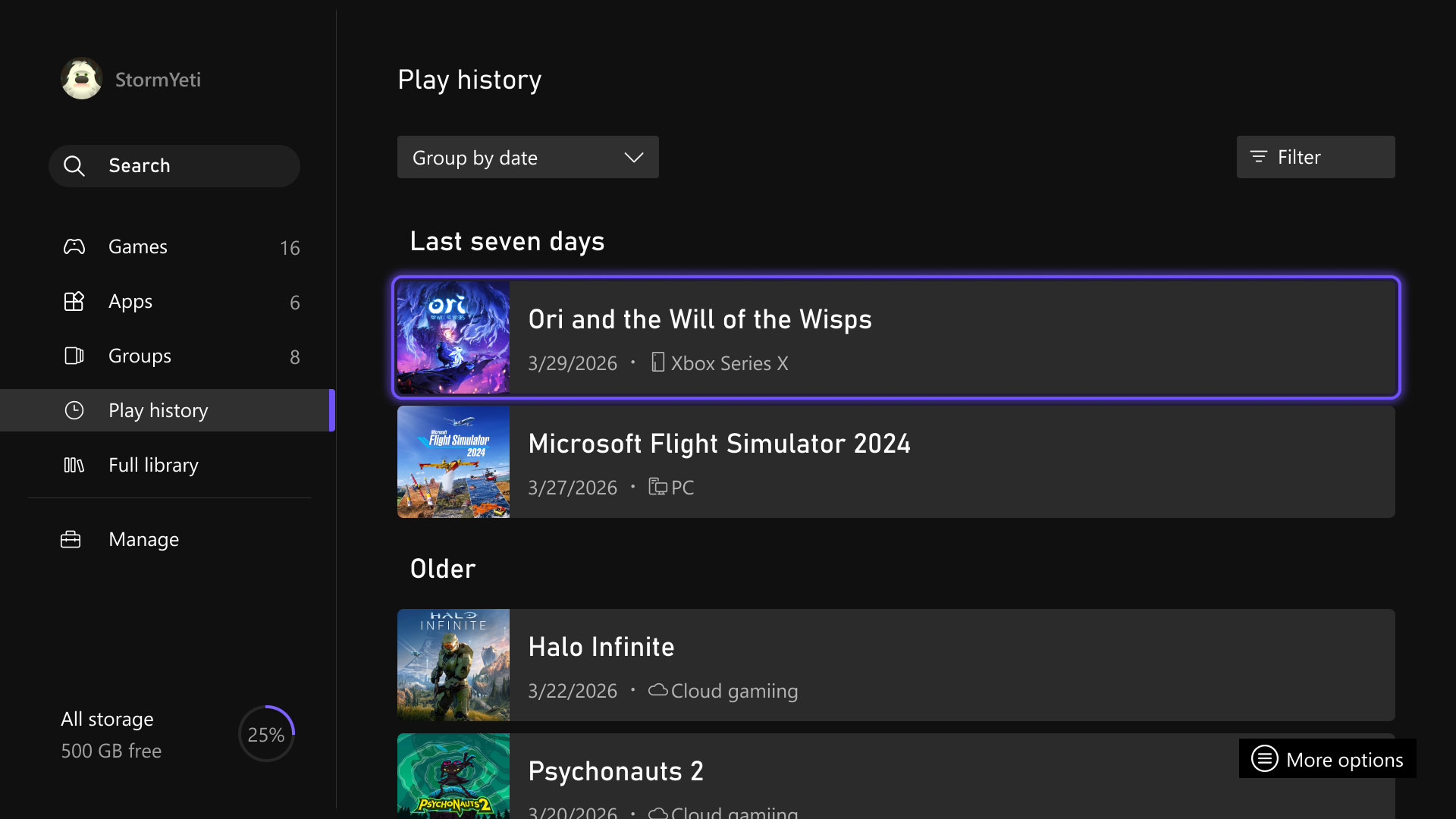
We’re updating the Play History experience on console to make it easier to find, scan, and use – wherever you’re coming from.
With this release, a new Play History tab in My games & apps, gives you a dedicated entry point without needing to navigate back to Home. We’ve also introduced a horizontal layout with clearer grouping by recency, making it faster to pick up where you left off.
The result is an easy-to-browse Play History experience across devices that keeps your recent gameplay front and center, right where you expect it.
User Selected Resolution and Network Quality Indicator
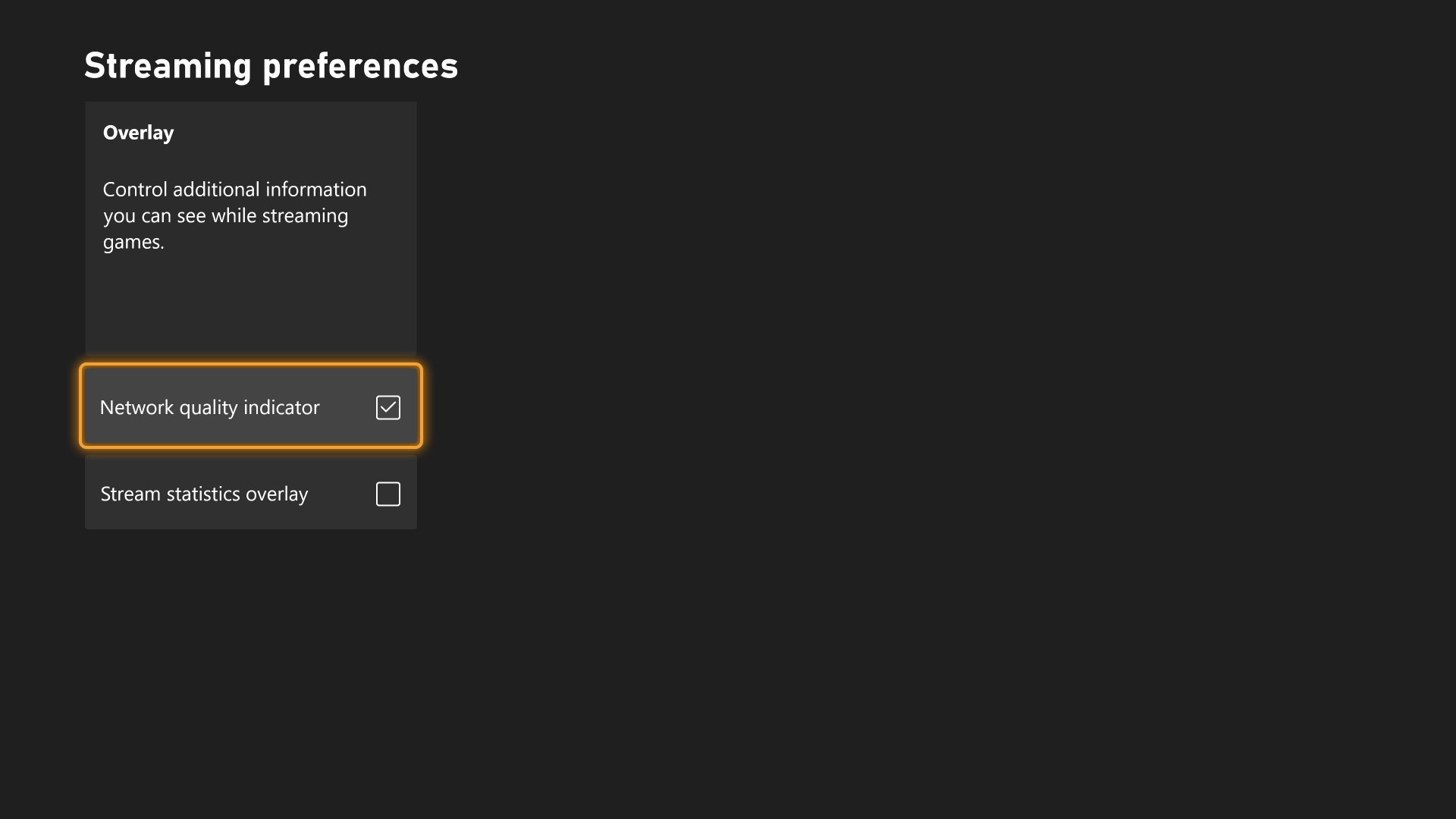
We’ve updated settings to make it easier for you to understand and control your streaming experience.
With this update, we’ve added User Selected Resolution (USR) and a Network Quality Indicator (NQI) to improve transparency and control around your streaming quality. Before you start streaming, you can now choose your preferred resolution in Console Settings > Cloud Settings, giving you more control over how your games look and perform.
Once you’re streaming, NQI provides lightweight, real-time visibility into your network’s health, helping you better understand how your connection may be impacting gameplay.
These updates are all about putting clearer information and better control in your hands, so you can play with more confidence. [Back to Top]
PC Updates
Manually Add a Game or App to Xbox Library
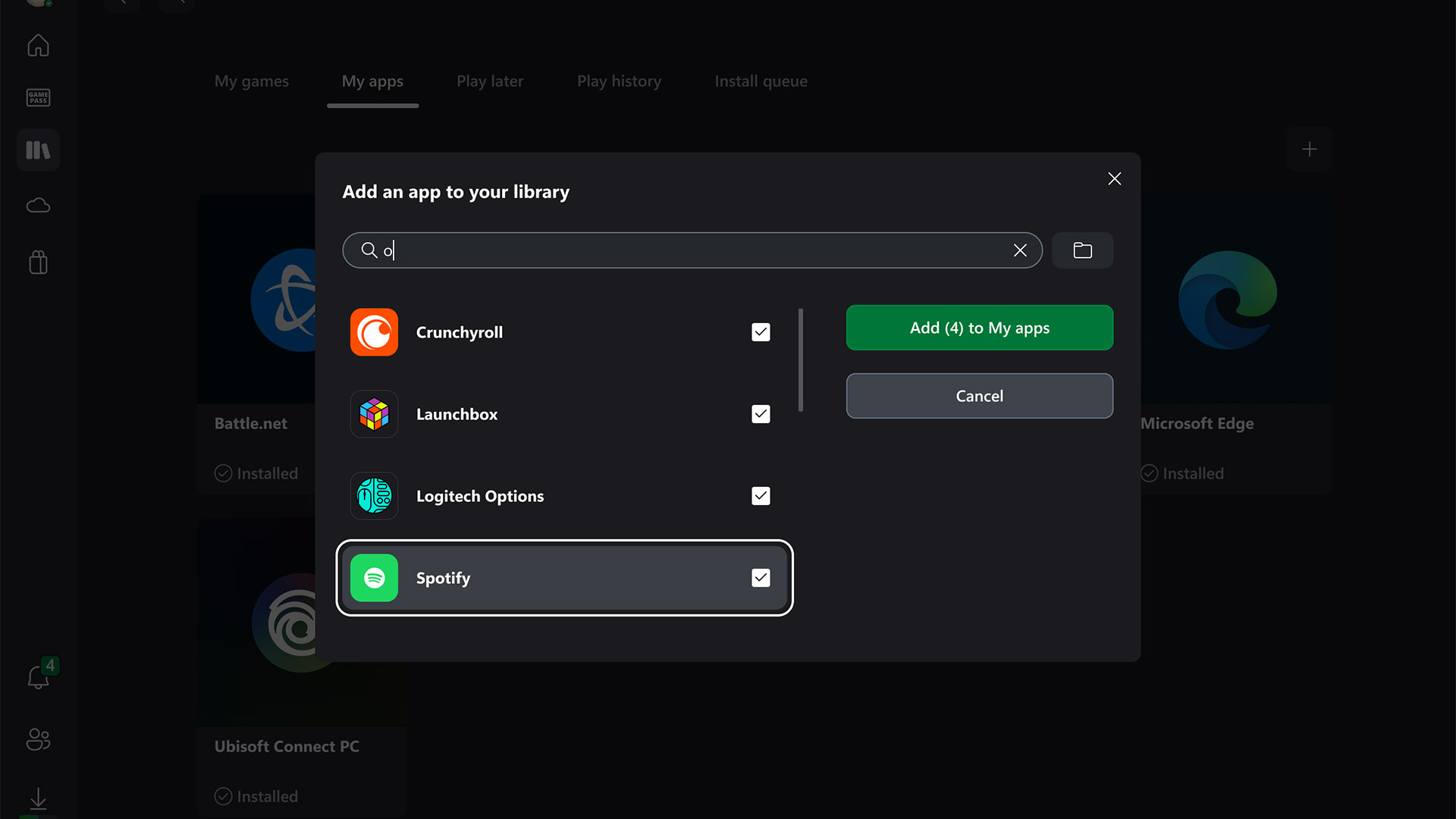
We’re making it easier to keep everything you play in one place. With this update, you can use the Xbox PC app on handheld devices to manually add any installed game or app to your Xbox library. No matter where it was installed or which storefront it came from, you can now centralize all your games and apps in a single library and launch it all from one place.
You’re also in control of how these titles look and behave in your library. Customize names, icons, and launch options to match how you play. For advanced setups, you can add mod parameters or special launch commands directly through the app. It’s all about giving you a cleaner, more flexible library – on your terms.
Pin Your Favorite Games
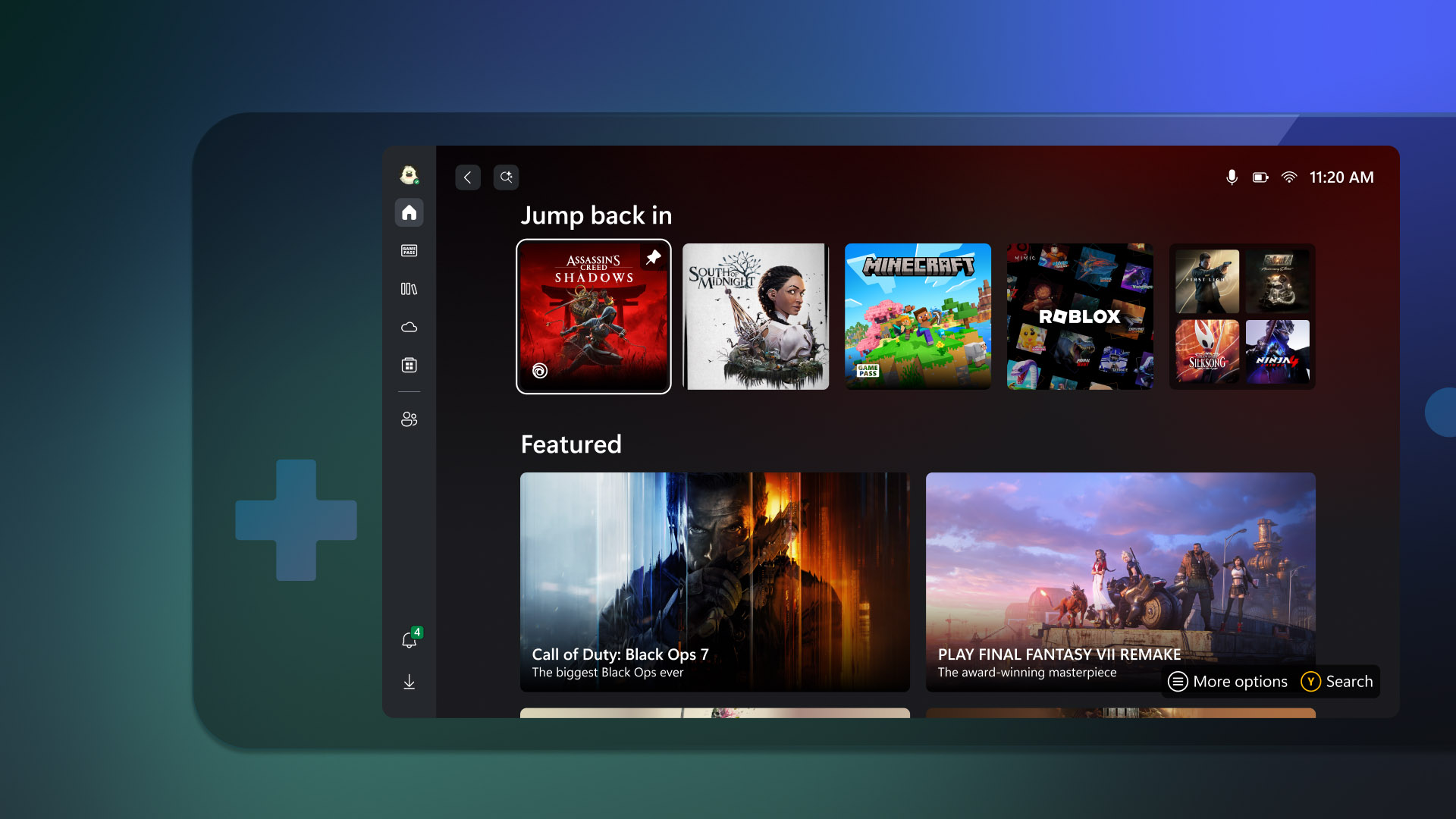
We know you’re looking for more ways to personalize your Home experience and get to the games you love faster.
With this update, you can now pin up to three games to your Jump back in or Most Recent list, keeping your favorite titles right at the front for quick access on Windows 11 PCs and gaming handhelds. This works across installed games, cloud games, and other supported titles, so the games you care about most are always within reach.
Pinning is simple, just right click any game in Jump back in or Most Recent and select “Pin to this list.” The pinned game moves to the front and stays there until you decide to unpin it.
Gamepad Cursor
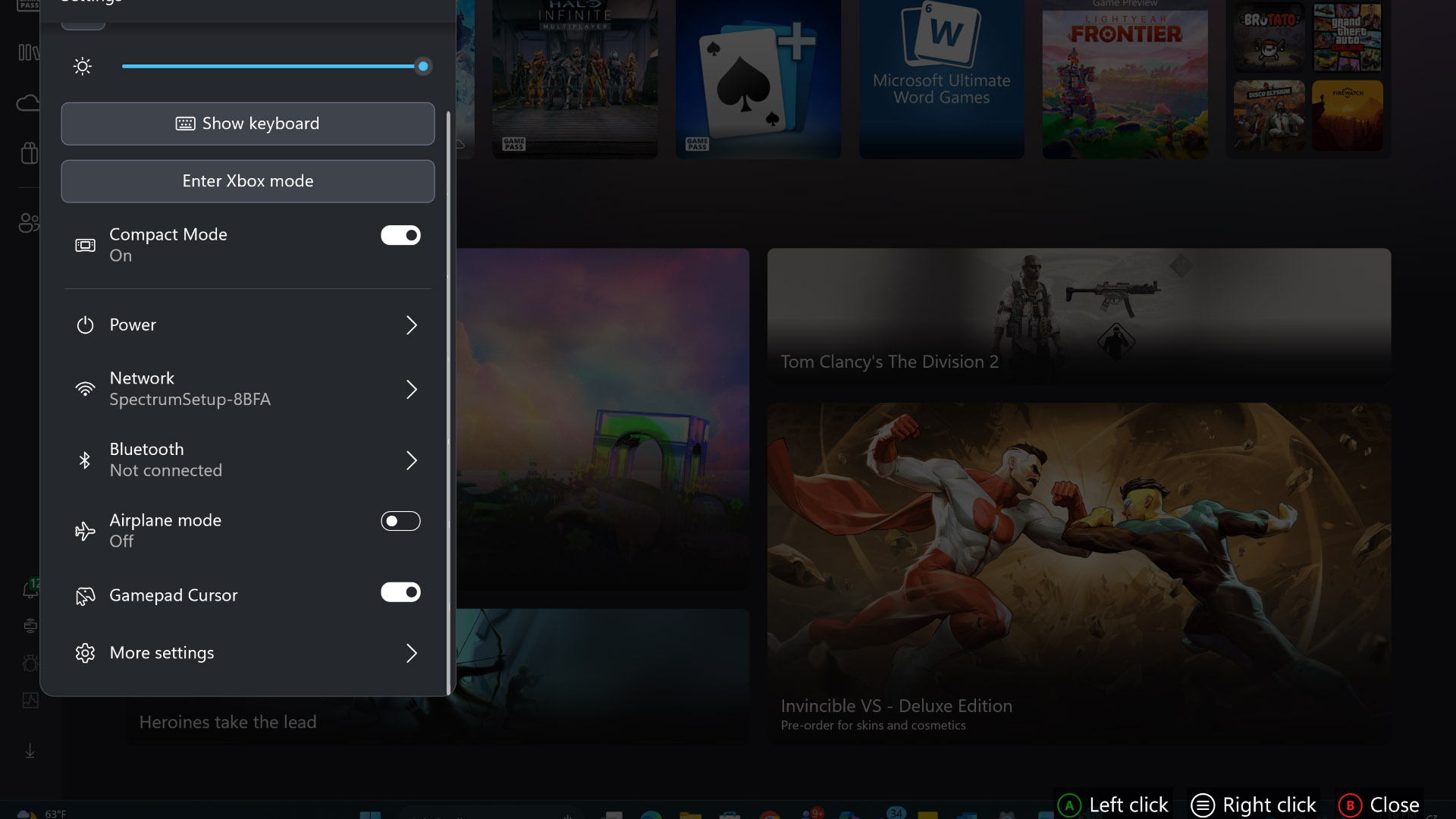
We’re making it easier to navigate apps that weren’t designed with controllers in mind. Gamepad cursor turns your gamepad into a mouse, giving you a ‑controller driven pointer so you can interact with apps that aren’t optimized for controller input. You can now use any controller to move a cursor using the left stick, no mouse required. This lets you interact with apps and screens that previously needed a mouse or touchscreen, right from your controller.
It’s especially helpful in scenarios like switching songs in Spotify, adjusting Discord chats, or anytime you don’t have access to a mouse or touchscreen. Just pick up your controller and keep going – no extra hardware needed.
To turn it on, sign into Game Bar, open the Settings widget, then go to
More settings > General.
Reposition Notifications on Game Bar
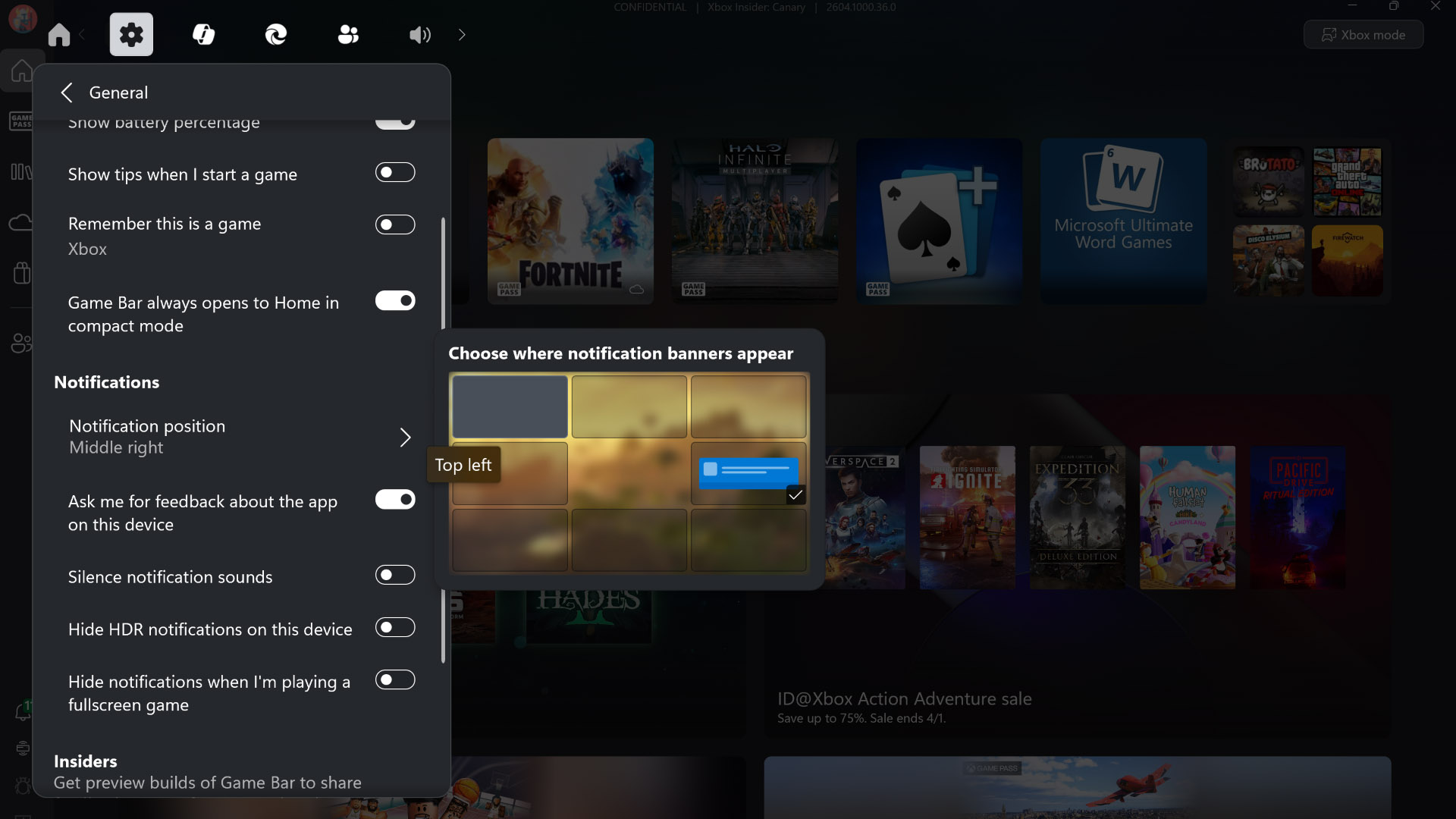
We’re giving you more control over how notifications show up while you play. With this update, you can choose where Xbox notifications appear on your screen. Just open Game Bar, head to the Settings widget, and select More settings. From the General tab, you can pick the notification placement that works best for your setup.
It’s a change that puts the experience more in your hands, so notifications stay visible, helpful, and out of the way of your gaming experience. [Back to Top]
Mobile App Updates
Wishlist Alerts Available in the Xbox Mobile App
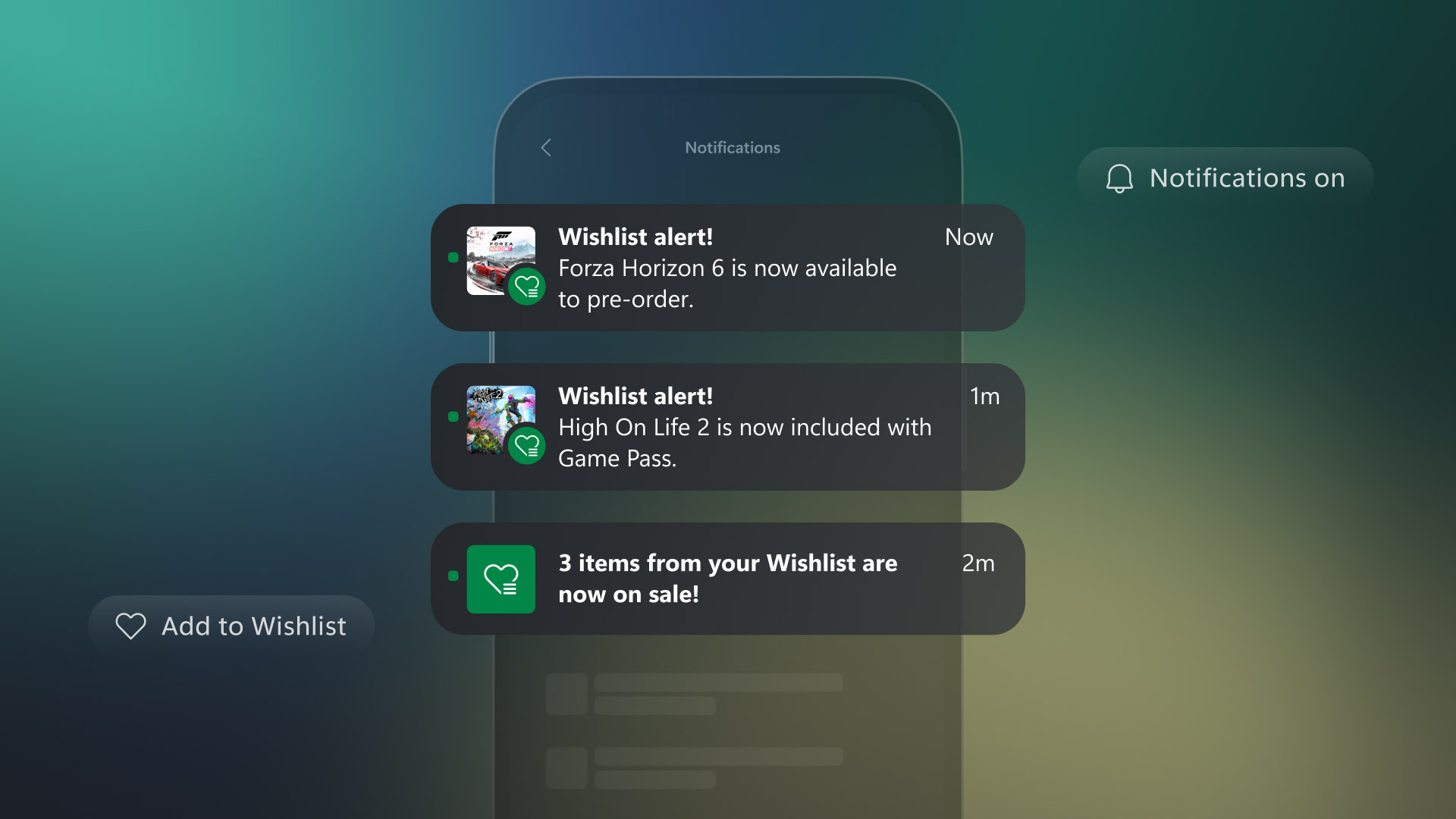
Staying on top of the games you care about just got a whole lot easier. The Xbox mobile app now lets you know the moment something changes with the titles on your wishlist. If a game goes on sale, enters Game Pass, or becomes available for preorder, you’ll receive a heads up right in your app Inbox.
Each message highlights the game and exactly what’s new, and with a single tap you can jump straight to the game’s product page where you can buy, install, preorder, or connect to remote play. It’s a simple way to keep you in the loop, right when it matters most. [Back to Top]
ROG Xbox Ally Updates
Docking Improvements and Other Enhancements
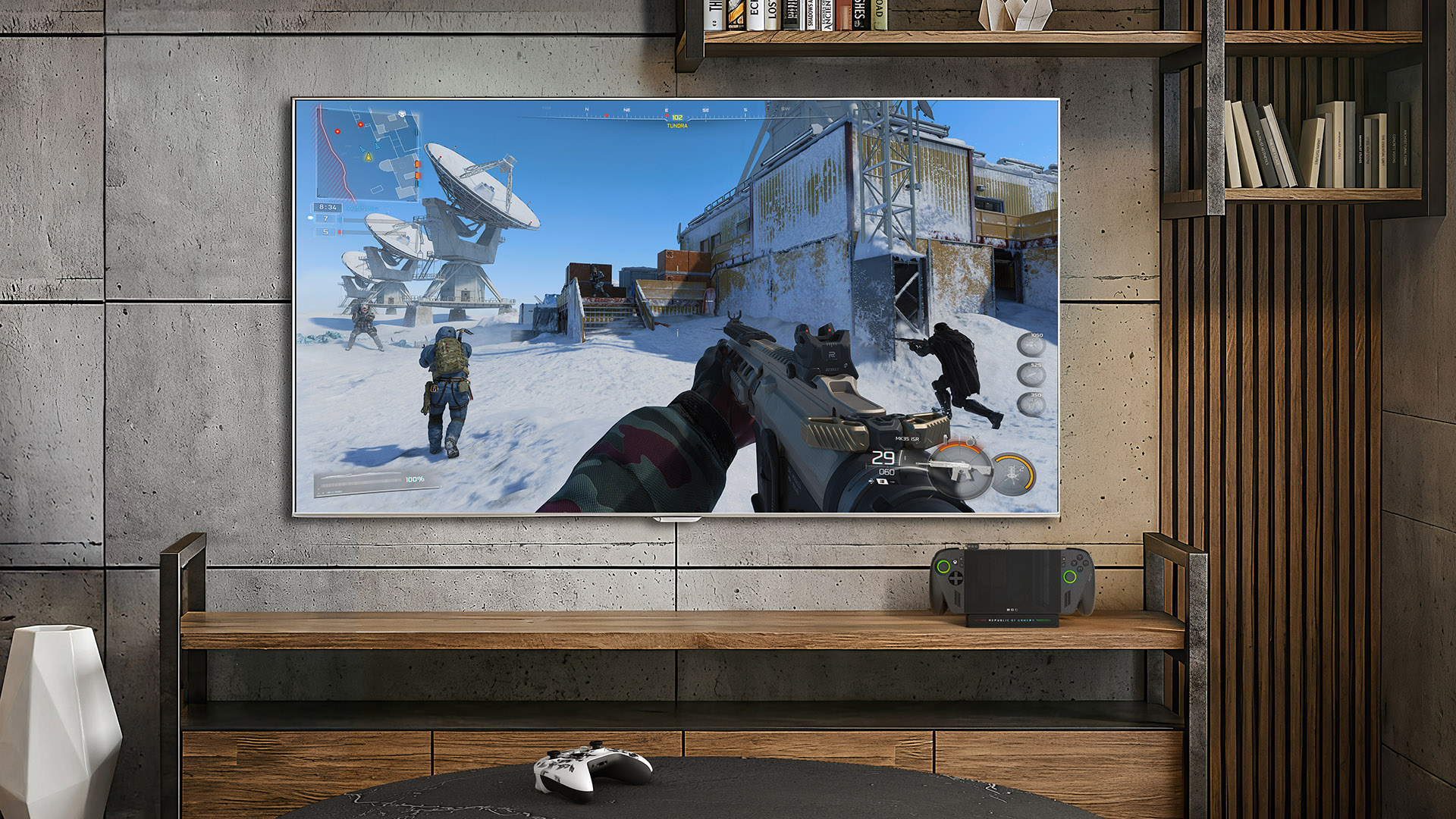
We’ve just released updates for ROG Xbox Ally and ROG Xbox Ally X that enhance the experience when devices are docked to an external TV or other display. You can also now enjoy super wideband stereo voice with headsets that support LE Audio and Enhanced Vibration. In addition, Ally and Ally X devices now support the “manually add a game or app to Xbox library” and “Gamepad cursor” PC features earlier in this post.
We’re also happy to give Xbox Insiders the opportunity to help us test and refine Auto Super Resolution (Auto SR) on the ROG Xbox Ally X for docked play. When playing on external monitors or TVs, Auto SR aims to make games look sharper and play smoother without impacting performance. [Back to Top]
Check out this Xbox Wire post for more details on the various new features available!
Rewards with Xbox
Microsoft Rewards $2,000,000 USD Total Prize Drop
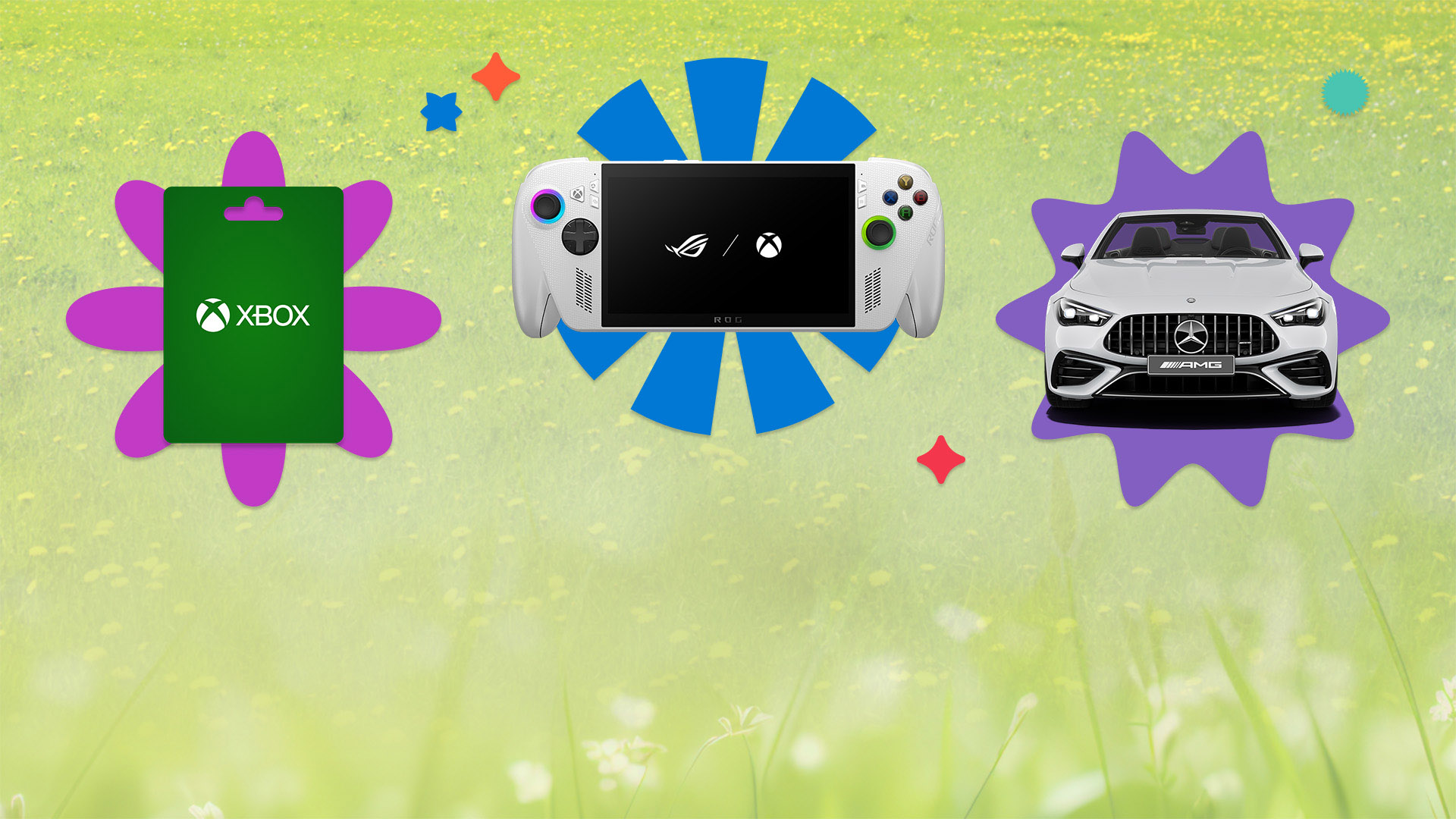
We’re bringing even more Rewards your way. Now through May 21, you can enter the Microsoft Rewards Total Prize Drop for a chance to win $1,000,000 USD cash, a Mercedes-Benz, Xbox Gift Cards, or thousands of instant prices. Terms apply.* Claim your free entry here. [Back to Top]
In Case You Missed It
Xbox Console – Dynamic Backgrounds
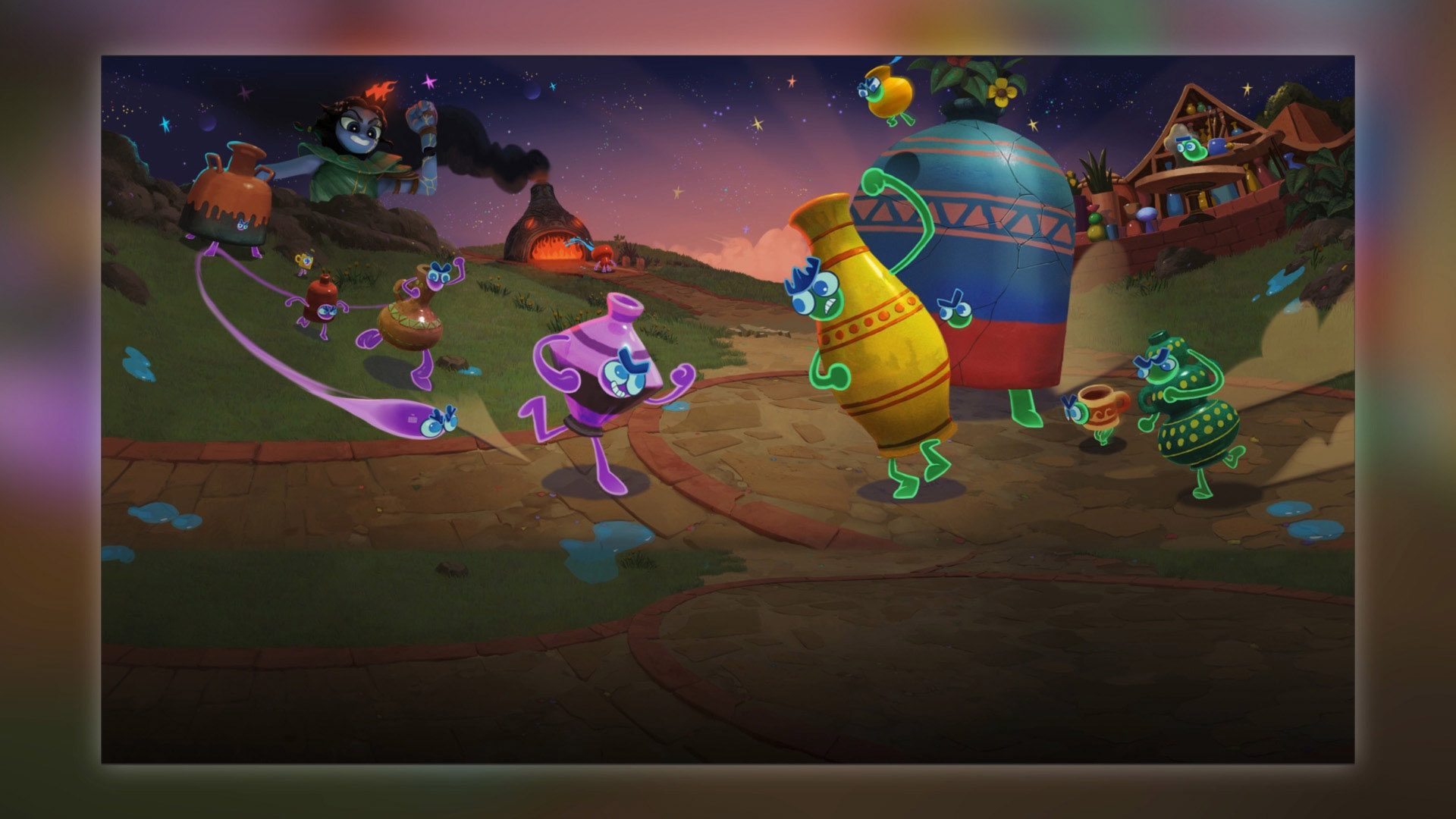
Diablo IV: Lord of Hatred, Invincible VS, Kiln, and Overwatch introduced new dynamic backgrounds for Xbox Series X|S consoles, allowing you to customize your console to celebrate these games. [Back to Top]
Game Additions
Handheld Compatibility Program – Optimizing Play for Players
The Handheld Compatibility Program makes it easier for you to identify which games are optimized for handheld play. This update is now visible on product detail pages across select Windows devices and featured in the handheld compatible channel on Home on supported Windows handhelds.
Recently, the following gameswere added to the program:
- Hades II (Handheld Optimized)
- Invincible VS (Mostly Compatible)
- Kiln (Handheld Optimized)
- Mouse: P.I. For Hire (Handheld Optimized)
Explore all available optimized games here.
Xbox Play Anywhere – Buy Once, Play Anywhere
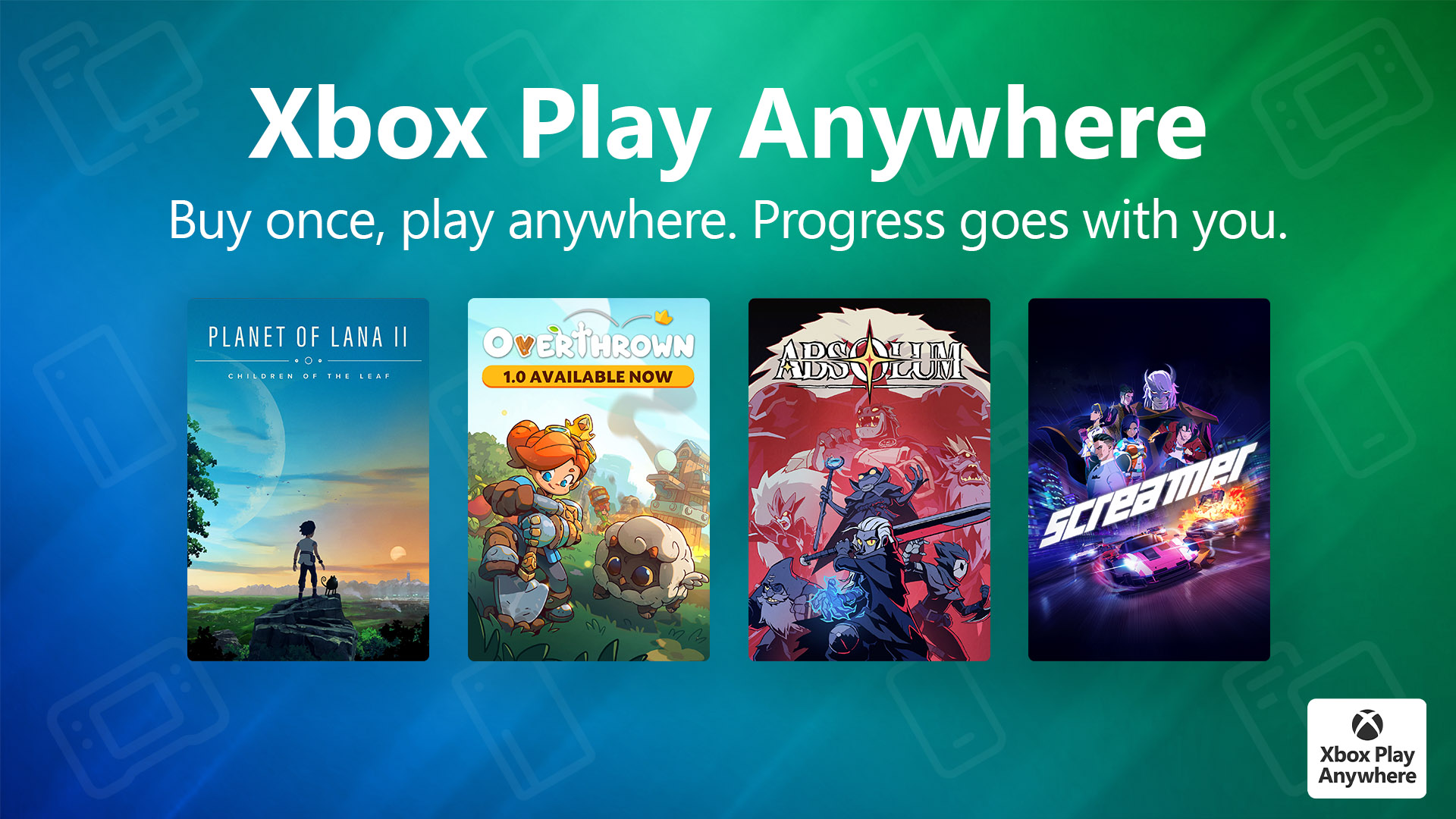
Over 1,500 games now support Xbox Play Anywhere, making it easier than ever to switch between PC, console, and supported handhelds for Xbox Play Anywhere games you own at no extra cost to you. Jump into games like Absolum and Screamer now. Your progress travels with you, including saves, add-ons, and achievements. Just sign in with your Xbox account on any supported device and pick up right where you left off.
These are the games added to the Xbox Play Anywhere collection in March:
- 1 CatLine
- A Winding Path
- Absolum
- Airplane Flight Simulator : Combat Zone
- Around The World in 80 Days: Hidden Objects
- Avenue Escape
- Basketball Classics
- BubbleMonsters
- Car Dealer Simulator
- ChildStory
- Cowboy Kart
- Cryptical Path
- Cubic Figures
- Defending Camelot – Tower Defense Action
- Easy Delivery Co.
- Extra Coin
- Hidden Cats in Spooky Village
- Hole Digging Master
- Hoof and Seek
- John Fart : Text-iverse of Crazyness
- Legacy of Kain: Defiance Remastered
- Legacy of Kain: Defiance Remastered
- Machine Gun Fury
- Meow Moments: Celebrating Myth & Machine
- Messy Up
- Minishoot’ Adventures
- Musical Memory: Cats Matching Band
- Nekomimi Days ~365 Days with You~
- Never Grave: The Witch and The Curse
- Nordic Ashes: The Complete Saga
- No-Skin
- Only Up Rush
- Öoo
- Order 13
- Overthrown
- Party Club
- Planet of Lana II
- Screamer
- Shalnor: Silverwind Saga 2
- Silver Bullet
- Space Warlord Baby Trading Simulator
- Super Meat Boy 3D
- Technotopia
- The Legacy of Griselda
- Thomas & Friends: Wonders of Sodor
- Trash Goblin
- Ultimate General: Civil War
- Unmourned
- Voidwrought
- The Wellmonts Case
- Wild West Legacy
Check out the full list of available games that players can enjoy anywhere.
Stream Your Own Game – Over 1,000 Games
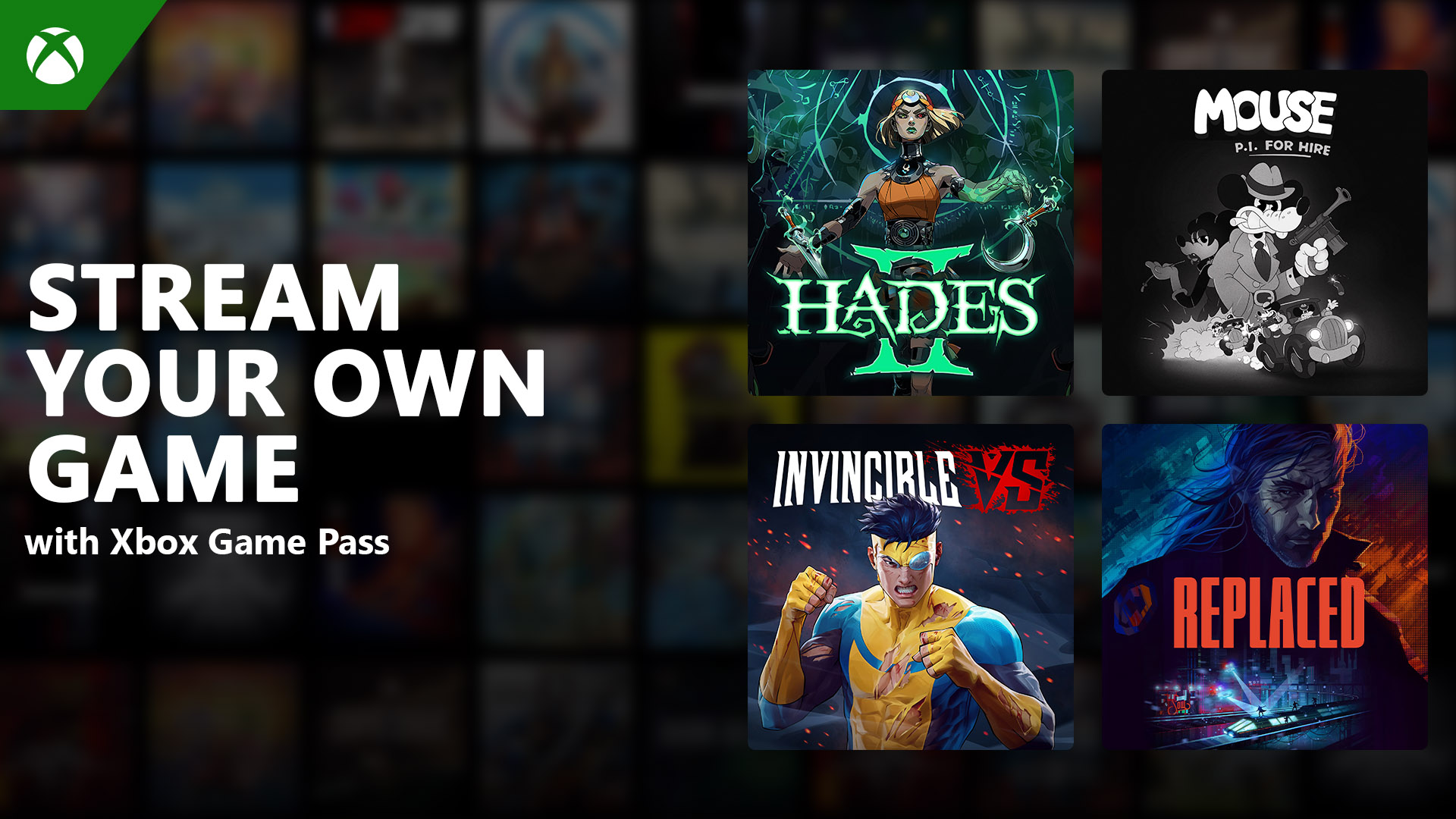
We’re continuing to grow the Stream your own game collection in Xbox Cloud Gaming. Xbox Game Pass Ultimate, Premium, and Essential subscribers can now stream from a library of 1000+ games they own, across supported devices. That includes titles like Hades II andMouse: P.I. for Hire.
More games, more flexibility, and more ways to play – wherever you may be.
Recently added:
- Aphelion
- Bus Bound
- Children of Zodiarcs
- Dragon Blaze
- Hades II
- Invincible VS
- Lost Ember: Rekindled Edition
- Mouse: P.I. for Hire
- MotoGP 26
- My Life: Farm Vet
- over the hill
- People of Note
- Replaced
- Snaky Snakes
- South of Midnight – Digital Extras
- SpotCat vs The Cheddar Mafia In Asia
- Stacky Dash
- Tiny Bookshop
- Warframe
- Wild West: Hidden Objects
- …and many more!
Check out the full list of cloud-playable games available to stream on supported devices here. For more information on Stream your own game, learn more here.
Xbox Adds More Games for Mouse & Keyboard and Touch Controls
Xbox supports wired USB mice and keyboards for navigation in select games and apps, as well as across Xbox and Windows devices.
For players enjoying Xbox games on mobile, Xbox touch controls deliver a controller-free experience for hundreds of titles. Today, there are 190+ games with mouse and keyboard support active on cloud and 260+ games with touch controls available on cloud, giving you more ways to play than ever before.
Some games even provide custom control overlays or render their own touch layouts, creating a tailored experience for each title’s unique gameplay. Learn how to set up and customize your touch controls here.
Here are the latest titles added this month:
Touch:
Mouse and keyboard:
- Amazing Maze
- Dragonkin: The Banished
- Easy Delivery Co.
- Planet of Lana 2: Children of the Leaf
- Super Meat Boy 3D
- Sword and Fairy Together Forever
For support on setting up devices, see here for more details. [Back to Top]
Help Shape the Future of Xbox
Stay tuned to Xbox Wire for future updates and the latest and greatest Xbox news. For support related to Xbox updates, visit the official Xbox Support site.
We love hearing from the community, whether it’s a new feature idea or feedback on something we can improve upon. Xbox is always evolving, and your input helps shape what’s next. If you’d like to help create the future of Xbox and get early access to new features, join the Xbox Insider Program today by downloading the Xbox Insider Hub for Xbox Series X|S & Xbox One or Windows PC. [Back to Top]
Happy gaming!
*No Purchase Necessary. Instant Win and Sweepstakes: Ends 5/21/26 at 11:59:59 PM PT. Must be age of majority to enter. Sweepstakes open only to legal residents of the 50 United States, D.C. & P.R., Canada, the United Kingdom, France, Germany, Ireland, Austria, Greece, Finland, Luxembourg, Spain, Switzerland, Norway, Mexico, Peru, Ecuador, Costa Rica, Guatemala, New Zealand, Japan, the Czech Republic, Romania and South Africa. For Official Rules and alternative methods of entry, see Instant Win rules: https://aka.ms/win-IW-Rules and Sweepstakes rules: https://aka.ms/win-Sweeps-Rules.