

Sunburst Viral- Latest News on Celebrities, gossip, TV,  music and movies
No Result
View All Result
  • Home
  • Featured News
  • Celebrity
  • Movies
  • Music
  • Gossips
  • TV
  • Comics
  • Books
  • Gaming
  • Home
  • Featured News
  • Celebrity
  • Movies
  • Music
  • Gossips
  • TV
  • Comics
  • Books
  • Gaming
No Result
View All Result
Sunburst Viral- Latest News on Celebrities, gossip, TV,  music and movies
No Result
View All Result

How to Buy a Digital Game as a Gift This Holiday

by Sunburst Viral
11 months ago
in Gaming
0
Home Gaming
2
VIEWS
Share on FacebookShare on Twitter
Spread the love


If you want to give a game to a friend or family member this holiday season, gifting a digital game is a great and convenient option. With the Microsoft Store on Xbox, Microsoft Store on Windows, Xbox on PC (including Xbox ROG Ally handhelds), or the Microsoft Store online experience, it’s never been easier to send someone a near-instantaneous gift on Xbox or PC. 

To see how easy it is to gift a game on console, you can watch our tutorial video below, or read on for a step-by-step guide. 

Gifting Through Console

  • To send a digital game as a gift on your console just go to the Microsoft Store, find the game you’d like to gift, locate the gift wrap icon, and click on it.
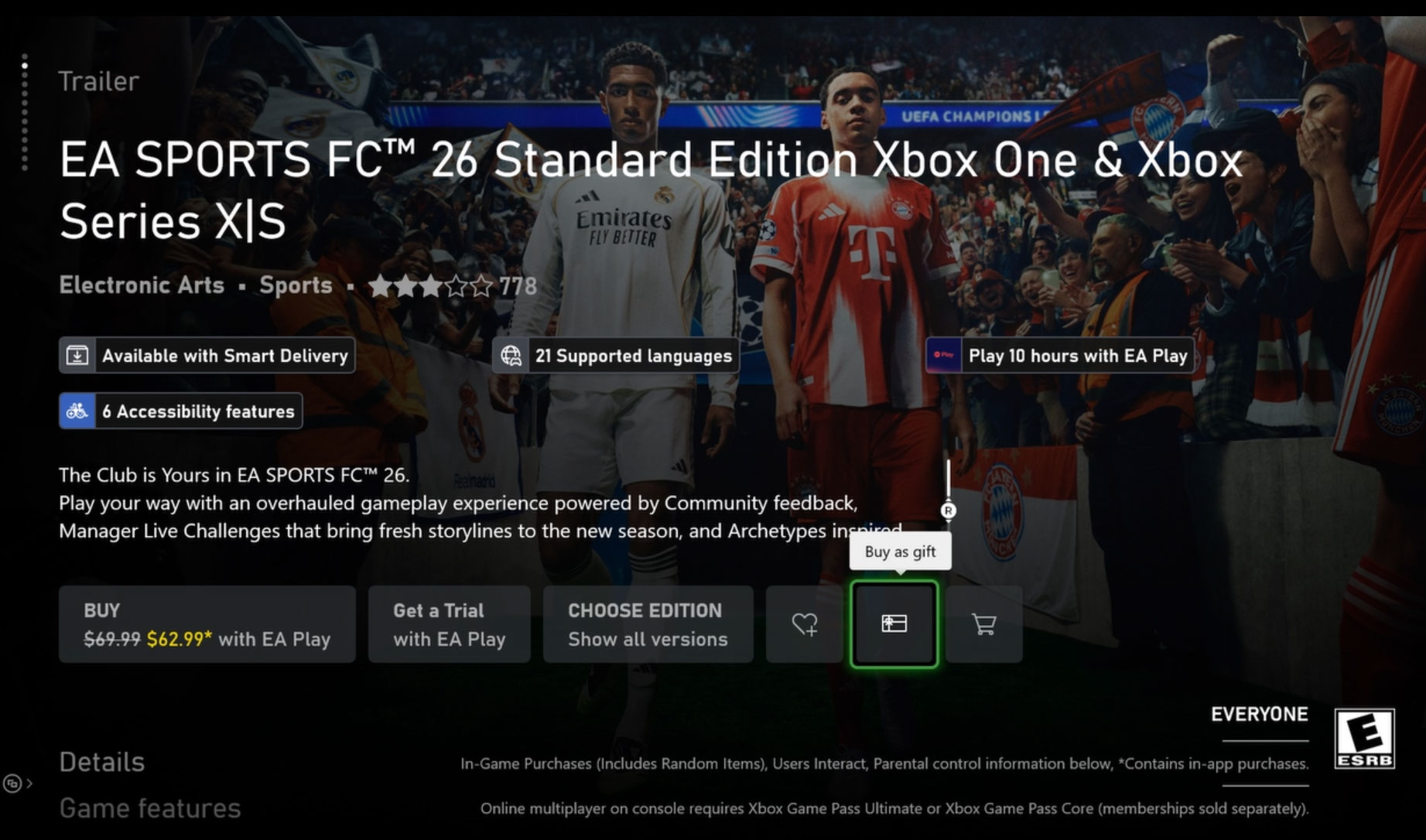
Digital Game Gifting - Console Image 1
  • This will open the “Buy as gift” options, where you can either choose someone from your friends list or type in an email. Note: Make sure the person receiving the gift is in the same country as you.
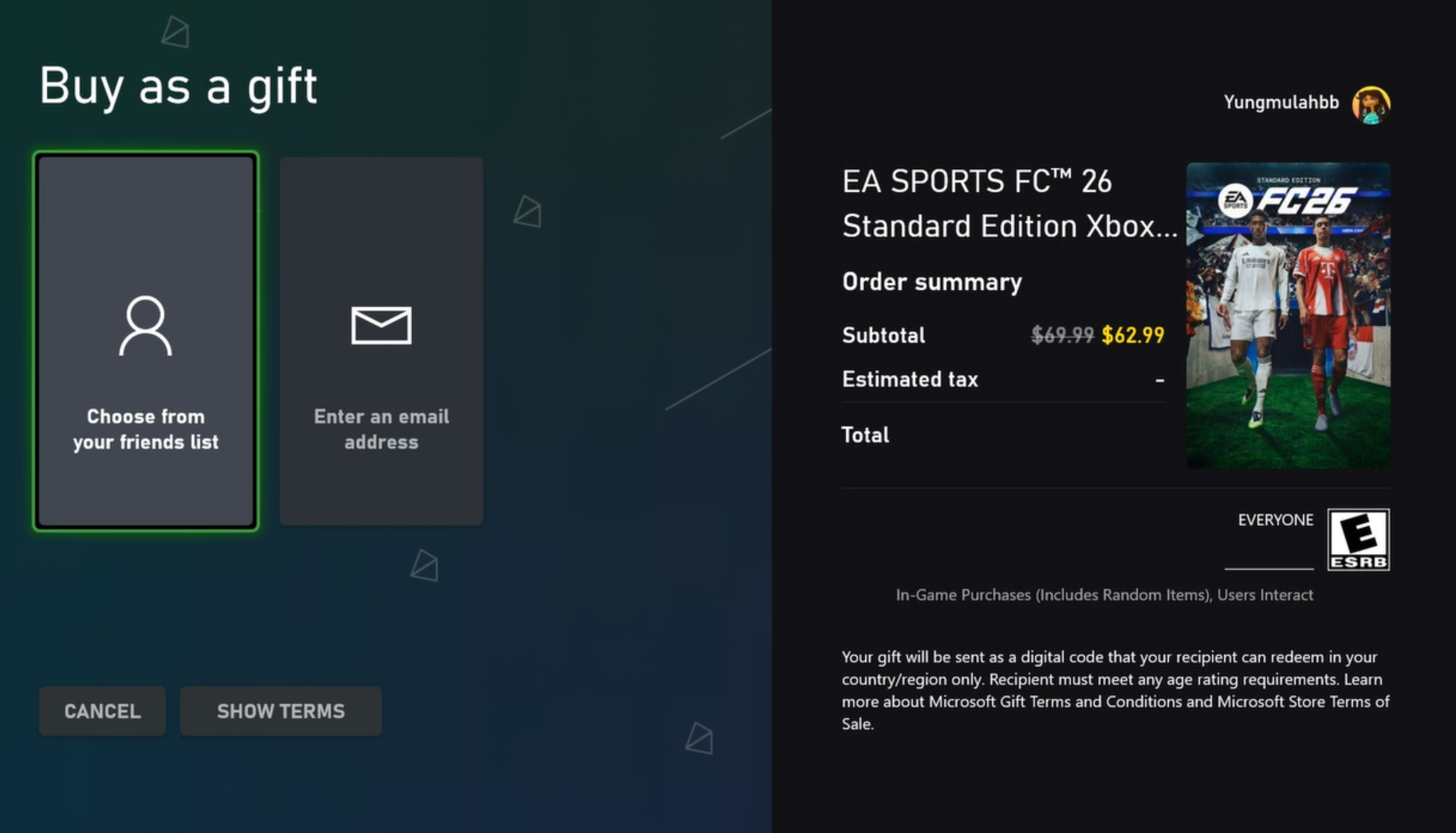
Digital Game Gifting - Console Image 2
  • From here, just choose your payment option and buy as a gift.
  • Your friend will receive a message both on their Xbox console and the email associated with their Xbox account. From there they only need to click on “Redeem code” and they are ready to play!
  • You can also send add-ons and subscriptions as gifts, such as Xbox Game Pass Ultimate!

Gifting Through the Xbox App on PC (Including ROG Xbox Ally)
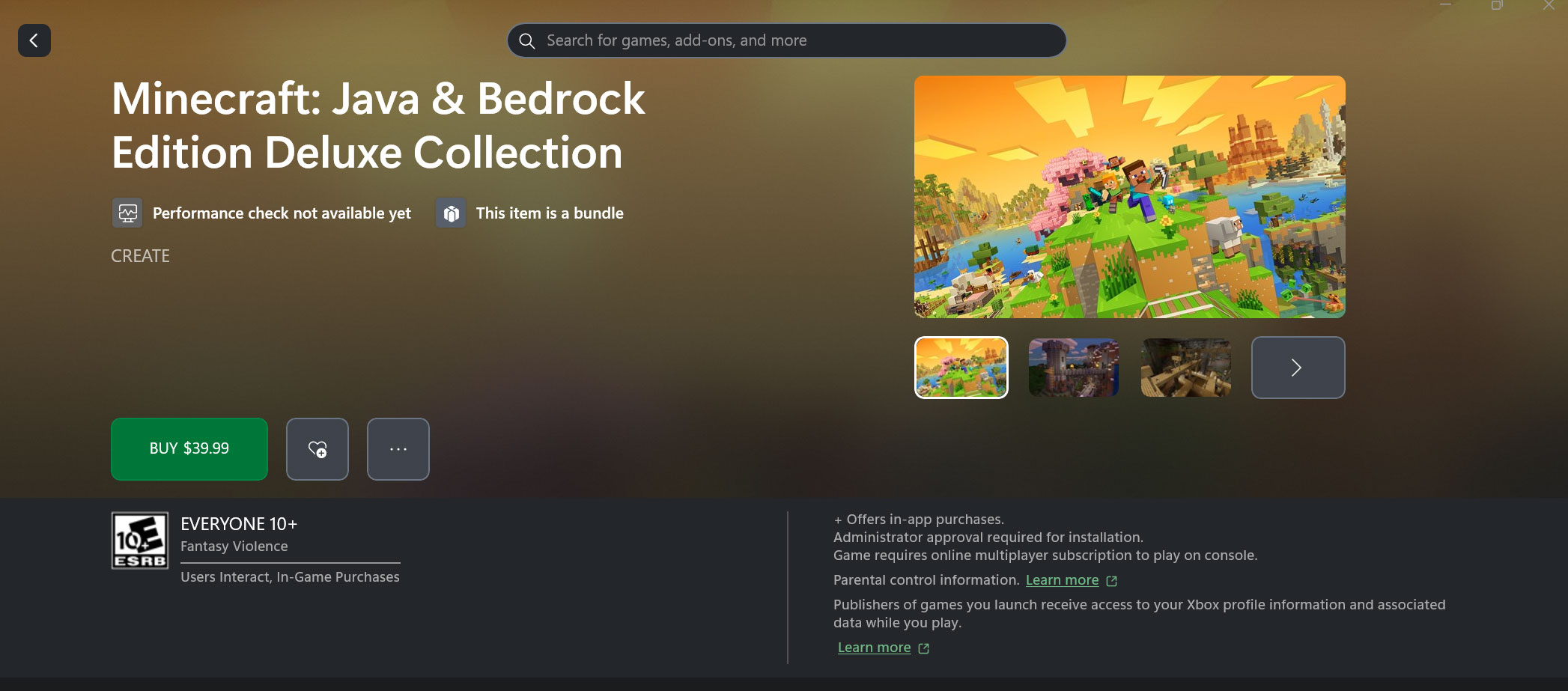
Digital Game Gifting - Xbox on PC

This is the same process as buying a gift on console – simply search for the game you want to send, then hit the “…” button and pick “Buy as Gift” in the dropdown menu. You can choose to send this to an Xbox friend or send to an email address. 

If you’re using a ROG Xbox Ally handheld, this process is identical when using the Store tab in the Xbox Full Screen Experience. 

Gifting Through Web Browser
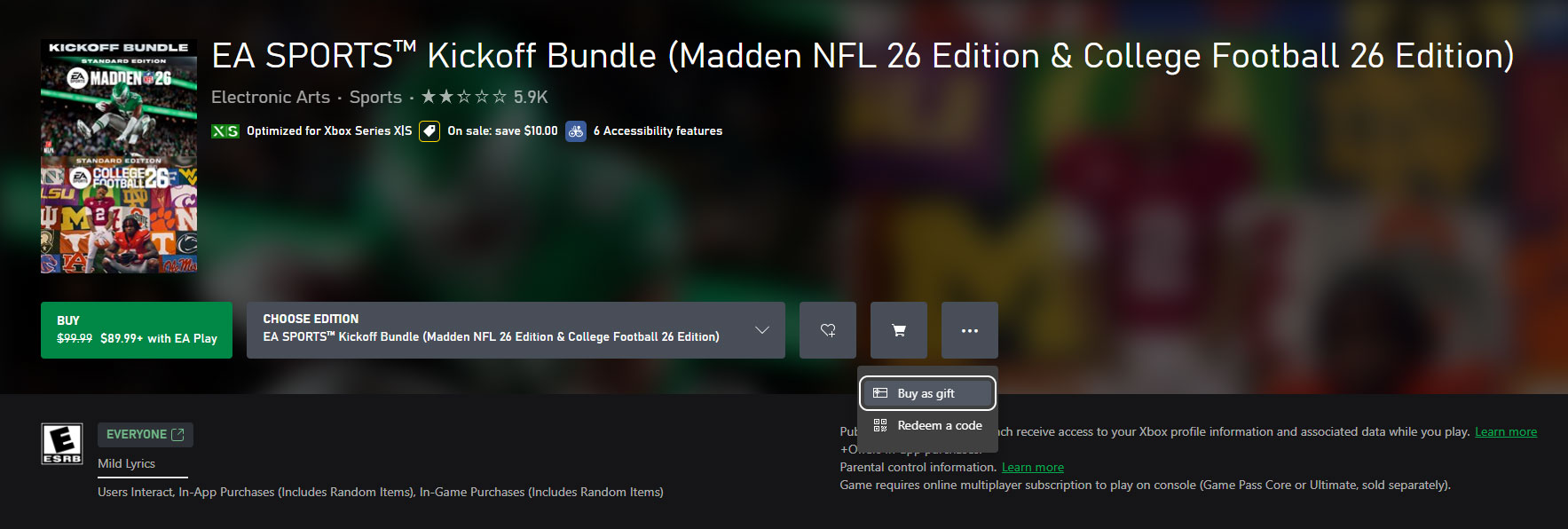
Digital Game Gifting - Web Browser

On the web your experience will be quite similar, though you will only have the email option. Visit the Microsoft Store Online, find the game, add-on, or subscription you wish to send as a gift and click on “Buy as a gift,” in the “…” dropdown menu beside the buy button, be it on your desktop or mobile device. After you log in to your Microsoft Account, choose your payment method, and you are ready to go. 

Gifting Through the Microsoft Store on Windows
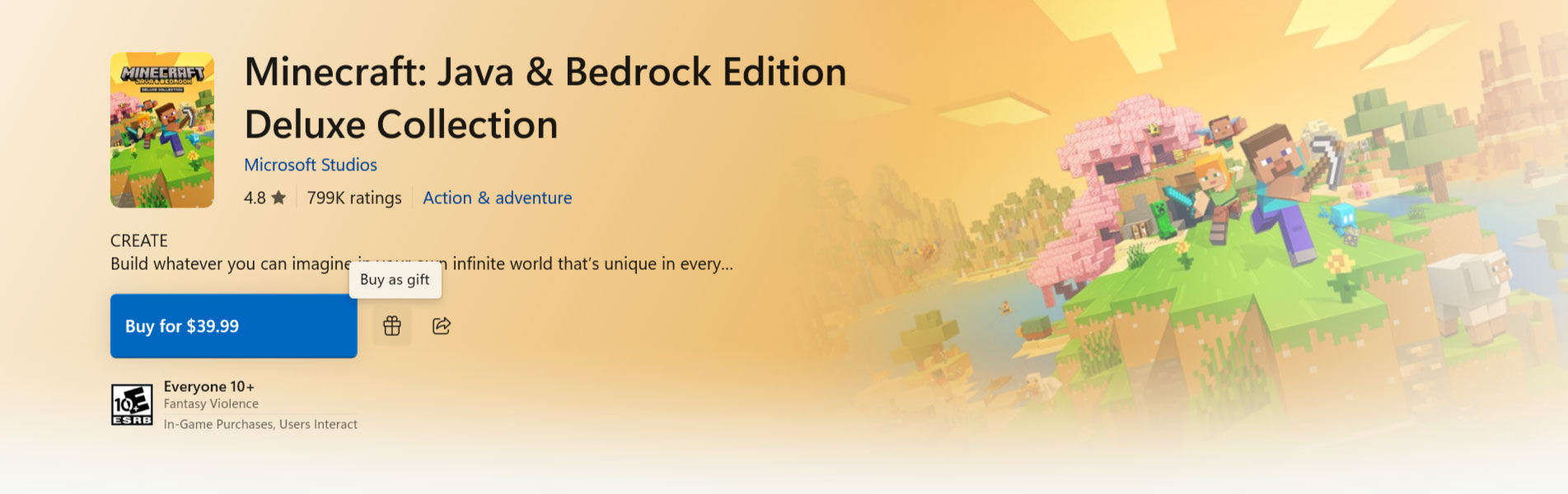
Digital Game Gifting - Microsoft Store on Windows

On the Microsoft Store on Windows experience, you will only have the email option. Visit the Microsoft Store on Windows, find the game, add-on, or subscription you wish to send as a gift and click on “Buy as a Gift”, icon to the right of the buy button. After you log in to your Microsoft Account, choose your payment method, and you are ready to go. 

For all the details on gifting digital games, visit our support page.  

This article has been updated for 2025. The original version of the article was written by Daniel Martins.



Source link

Tags: Buycelebrity newsDigitalGameGIFTHolidayhollywood gossipshollywood newslatest hollywood news
Previous Post

The Witcher’s Freya Allan Took on Henry Cavill’s Mission Once He Left

Next Post

New wave of Kirby Air Riders Nintendo Switch Online icons available

Related Posts

Gaming

Pinball takes on a new life in ‘Pin-Crawl’

by Sunburst Viral
November 13, 2026
Gaming

Thanks for 25 Years, XBOX Players — From Wolfenstein 3 and Halo Firefight to Classic XBOX Games on PC: Everything Announced Today

by Sunburst Viral
November 13, 2026
Gaming

Slay The Spire 2 Patch Adds The Fool And A Ton More

by Sunburst Viral
November 12, 2026
Gaming

Candy Crush Is Celebrating Xbox’s 25th Anniversary With Halo, Fallout, And Doom Crossovers, Including Remixed Music

by Sunburst Viral
November 12, 2026
Gaming

Japan: Zelda: Ocarina of Time remake sold 537K physical copies and Stellar Blade Switch 2 sold 8K

by Sunburst Viral
November 12, 2026
Next Post
New wave of Kirby Air Riders Nintendo Switch Online icons available

New wave of Kirby Air Riders Nintendo Switch Online icons available

GET THE FREE NEWSLETTER

  • Trending
  • Comments
  • Latest

Unrecognizable Joe Biden looks like a young Tom Cruise in handsome throwback from his 20s

September 19, 2026

What Happens To Every Young Sheldon Character After It Ends

September 29, 2026

Why Did Joe Manganiello & Sofía Vergara Divorce? His Memoir Claims – Hollywood Life

October 11, 2026
Reminiscence

Reminiscence

April 30, 2022
VP JD Vance Jokingly Calls Diddy a ‘Great Christian Theologian’

VP JD Vance Jokingly Calls Diddy a ‘Great Christian Theologian’

June 26, 2026
Jude Law Family Tree: His 7 children and who the mothers are | Explained

Jude Law Family Tree: His 7 children and who the mothers are | Explained

March 27, 2026

DWTS Pro Rylee Arnold’s Fitness Routine Revealed by Lindsay Arnold

November 13, 2026

Travis Barker Reveals The Terrifying Diagnosis He Received That Jolted Him Into Quitting Weed: ‘Dont F**k Around’

November 13, 2026

How Manufacturers Can Reduce Energy Waste in High-Temperature Processes

November 13, 2026

Avril Lavigne Announces She’s A Mom: ‘Our Mini F**king Princess Has Arrived’

November 13, 2026

Chrisean Rock Punches Adam22 After Parenting Joke

November 13, 2026

Taylor Swift To Perform At CMA Awards For First Time In 13 Years

November 13, 2026
  • Home
  • Disclaimer
  • Privacy Policy
  • DMCA
  • Cookie Privacy Policy
  • Terms and Conditions
  • Contact us
SUNBURST VIRAL

Copyright © 2022 - Sunburst Viral.
Sunburst Viral is not responsible for the content of external sites.

No Result
View All Result
  • Home
  • Featured News
  • Celebrity
  • Movies
  • Music
  • Gossips
  • TV
  • Comics
  • Books
  • Gaming

Copyright © 2022 - Sunburst Viral.
Sunburst Viral is not responsible for the content of external sites.

Go to mobile version